
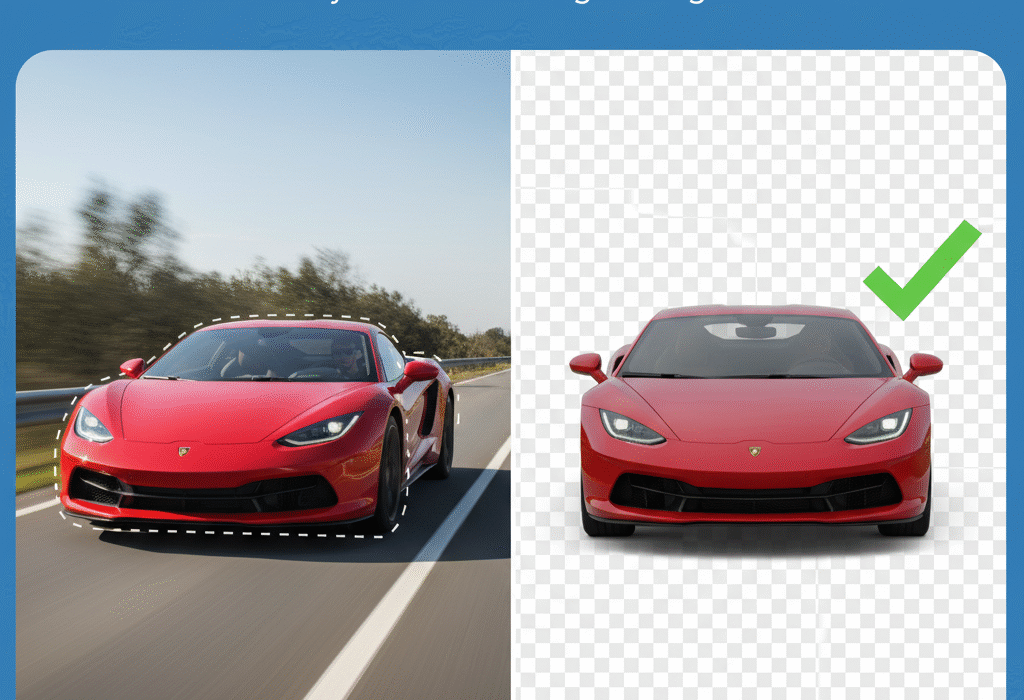
Cut Photo Out of Background – The Easiest Way to Remove Image Backgrounds Online
Cut Photo Out of Background – A Complete Guide
If you’ve ever wanted to cut a photo out of its background — whether for a product image, social media post, or personal project — you’re not alone.
Removing backgrounds used to be time-consuming, but now it’s faster and easier than ever, thanks to AI-powered background removers like SocialHaus.
🪄 Why Remove a Background?
Background removal helps make your photo look clean, focused, and professional. Here’s why people do it:
- To make eCommerce product photos look consistent
- For profile pictures and business cards
- To create marketing banners or social media creatives
- To replace backgrounds with custom designs or colors
A clear image background helps you grab attention and improves the overall visual appeal of your content.
⚙️ How to Cut Photo Out of Background – Step-by-Step
Here’s the simplest way to remove your photo’s background online:
- Go to SocialHaus.in
Visit the website where you can use AI tools to edit, design, and market easily. - Upload Your Image
Choose the image you want to edit — product, portrait, or any other. - AI Background Removal
The AI instantly detects and cuts your main subject out of the background. - Download Your Result
Save your clean image or replace it with a new stylish background.
💡 No Photoshop skills needed — just upload and get a perfect cutout instantly!
🎨 Best Tools to Cut Out Background (Free & Paid)
If you want to try alternatives too, here are some popular tools:
- SocialHaus Background Remover – Fast, free, and accurate.
- Remove.bg – Quick but limited free credits.
- Canva – Great for designers, requires Pro plan for background removal.
- Adobe Express – Offers smart background cutouts.
👉 However, SocialHaus stands out for its simplicity and speed — perfect for creators, eCommerce sellers, and marketing professionals.
💡 Tips for Best Results
- Use high-quality images with clear subjects.
- Avoid complex or cluttered backgrounds.
- Keep lighting consistent to make the cutout natural.
- After cutting, you can add shadows or new backgrounds using online editors.
🚀 Why Choose SocialHaus?
SocialHaus is more than just a background remover — it’s your digital creation hub.
You can:
- Design stunning visuals
- Manage ad creatives
- Edit images effortlessly
- Build brand-ready designs for social media or websites
With AI-powered editing, you get professional-quality results in just a few clicks.
Merge PDF Files Online — Combine Multiple PDFs into One File Easily
🏁 Final Thoughts
Cutting a photo out of the background no longer needs expert software or hours of work.
Use SocialHaus to instantly remove, edit, and customize your photo backgrounds — fast, free, and online.
🎯 Try it now: SocialHaus.in

Soocialhaus is an online media publication dedicated to reporting on the Advertising and Marketing Landscape across Internet in the Social Media World.